ZemiPro Time-Employee-Projects

track Time - Manage Projects - Stay in Control

For freelancers, small businesses and service providers.
Track time, assign it to projects and clients, and analyze it directly.

  • Try it free 
  • No credit card required
  • Cancel anytime

Afterwards from 1.90 € monthly - View tariffs
ZemiPro Dashboard

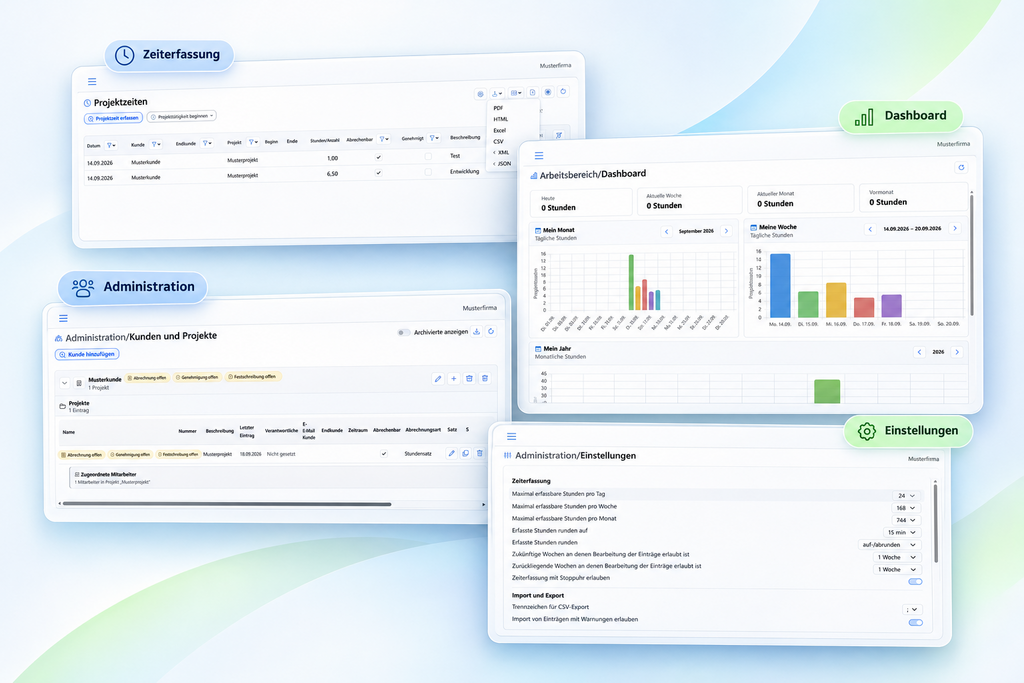
All important things in one place

Record work and project times, manage clients and projects, and create time evidence.

ZemiPro connects the most important tasks related to time tracking and project management in a clear application.

Start easily and work flexibly

  • Clear interface instead of unnecessary complexity
  • Quick start without long training
  • Flexible settings for different requirements
  • ZemiPro as an alternative to previous time tracking

Switching to ZemiPro is straightforward: Existing project times can easily be transferred.

Get to know ZemiPro

Try ZemiPro free for one month. Choose the tariff that suits your needs and start directly with time tracking.

Afterwards from 1.90 € monthly - View tariffs

Projects and times in view

Features

Discover ZemiPro – from features to application possibilities.

Focused on the essentials

ZemiPro combines digital work time tracking, project time tracking, and project management in a clearly structured and easy-to-use application. The focus is on functions that are actually needed in everyday work – from recording work and project times to managing clients and projects to evaluations and time evidence.

The focus is on clear processes, understandable operation, and a user-friendly interface. This way, employees can quickly find their way around, and managers keep track of times, projects, and evaluations.
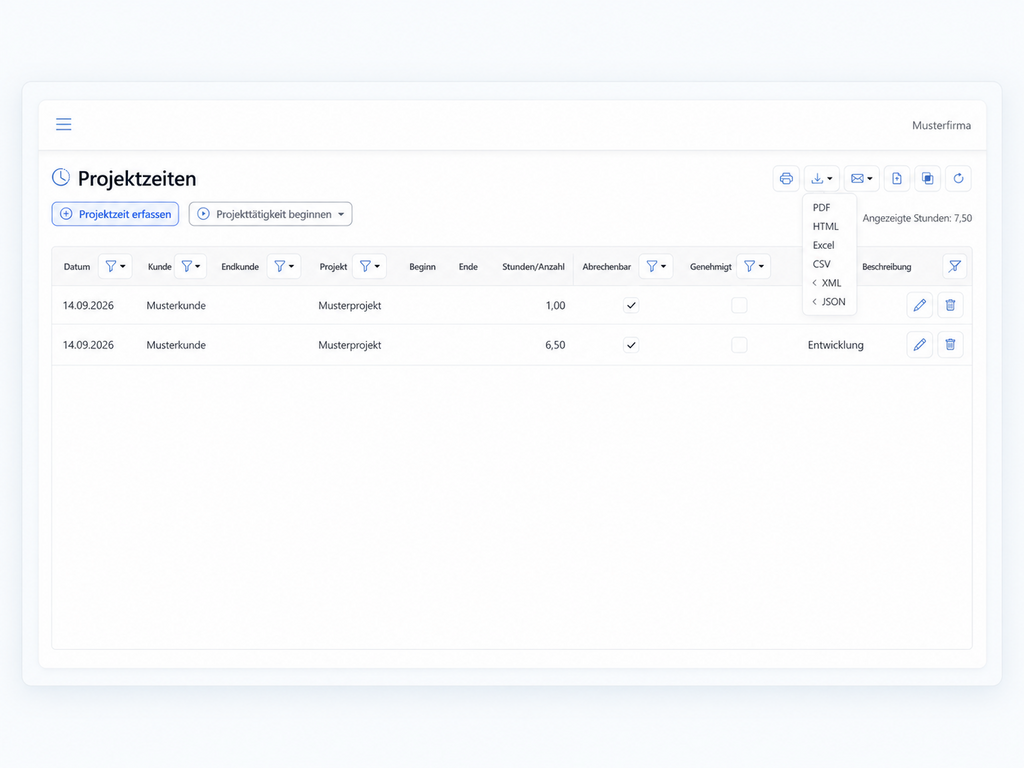
Projektzeiten erfassen

Record

Easily record times and manage them clearly.
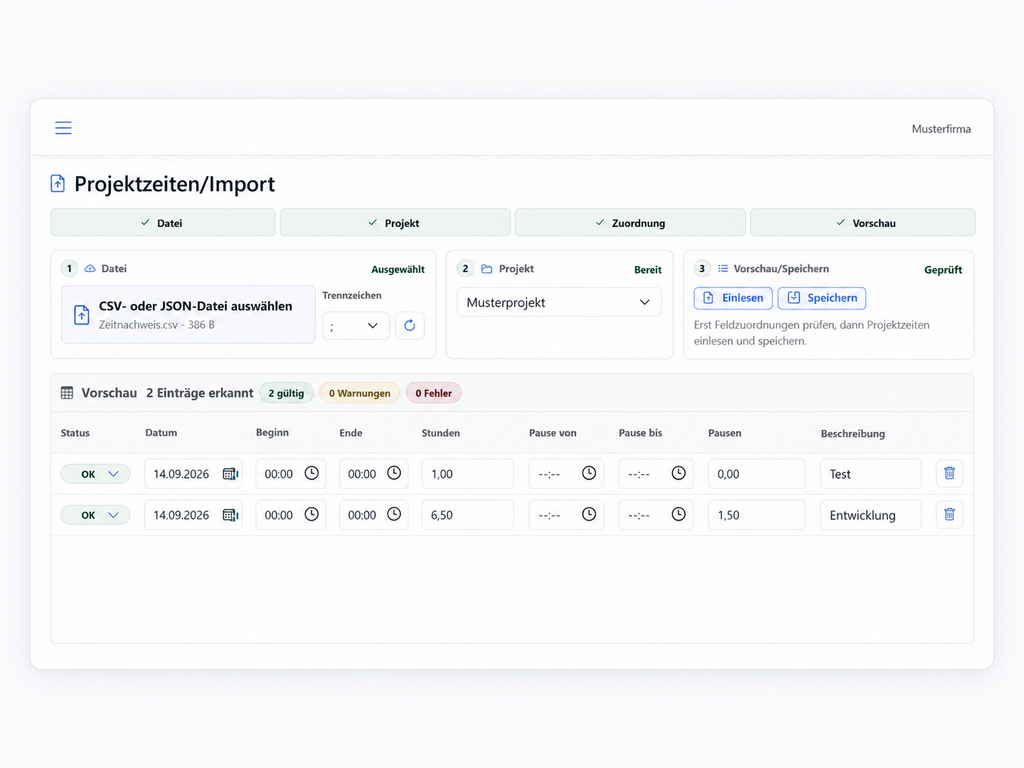
Projektzeiten importieren

Import

Quickly and easily transfer times from other systems.
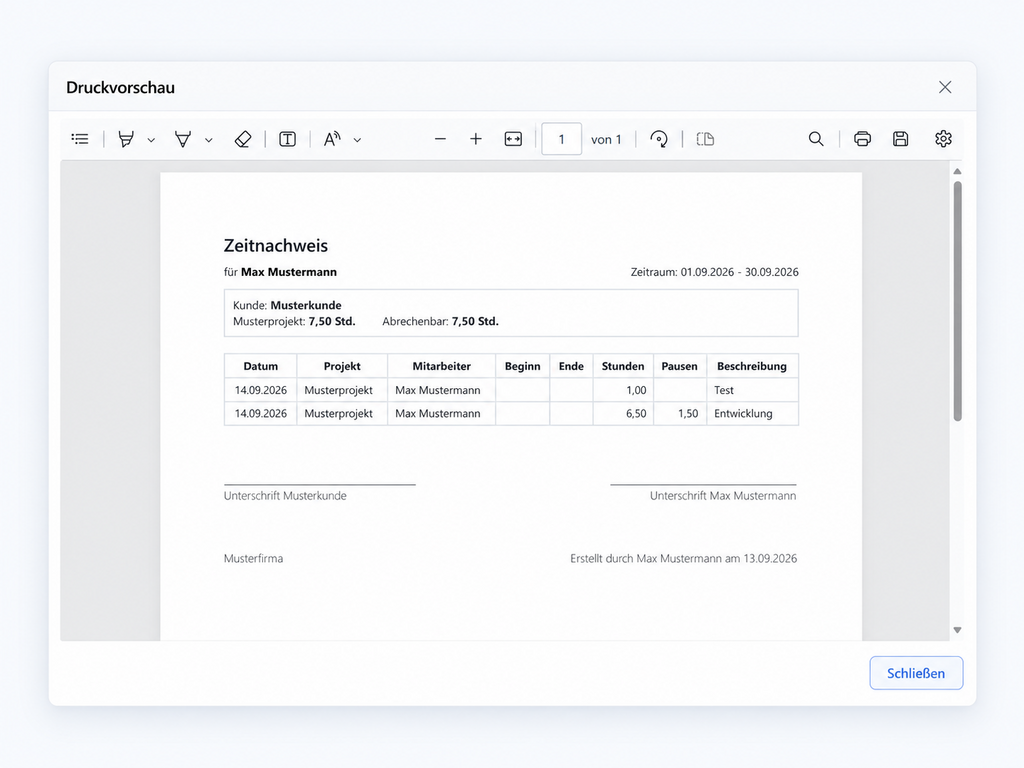
Projektzeiten auswerten

Evaluate

Clearly evaluate times and create evidence for billing.

Manage projects

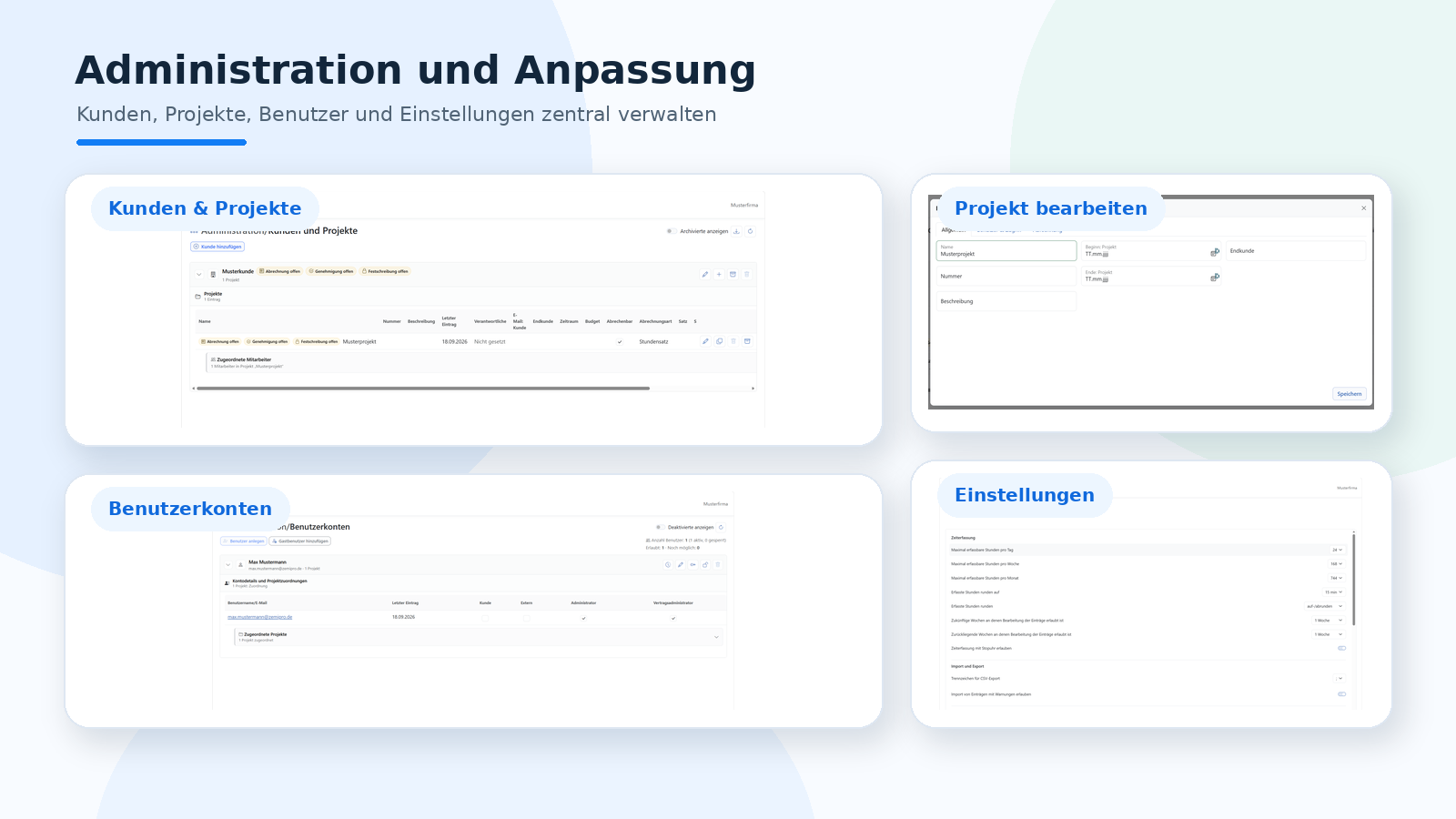
Manage clients, projects, responsibilities, and budgets centrally.

Assign employees

Specify which employees can work on which projects and record times.

Evaluate project times

Record times directly on projects and create clear time evidence from them.

Keep track of clients, projects, and employees

Manage clients and projects in one place, set responsibilities, and assign employees. This way, project times can be recorded clearly and assigned to the respective clients and projects.
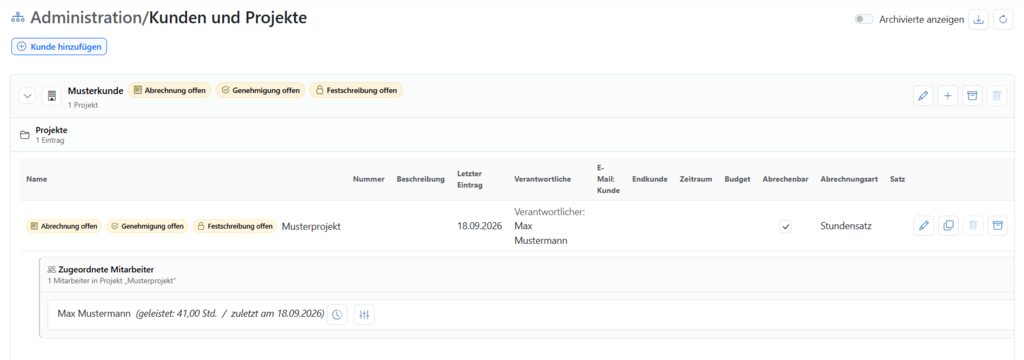
Kunden und Projekte in ZemiPro verwalten

This is how project time tracking works easily with ZemiPro

Select project


Müller GmbH / Consulting


Select the project for which the working time is to be recorded.

Record time


4.5 hours


Record the worked time manually or with the integrated stopwatch. Breaks can optionally be recorded.

Evaluate & bill


118 hours recorded for Müller GmbH / Consulting


The recorded times are then available for evaluations and time evidence.

Versatile applicable

ZemiPro is suitable for different industries and working models. The application supports the recording of working and project times as well as the organization of clients and projects.

Whether freelancers, service providers, consulting firms, or smaller teams: ZemiPro can be flexibly adapted to different processes and requirements. Project times can be clearly recorded, evaluated, and used for time evidence or further billing.

This creates a central working basis for times, projects, and evaluations – clear, flexible, and adaptable to different ways of working.

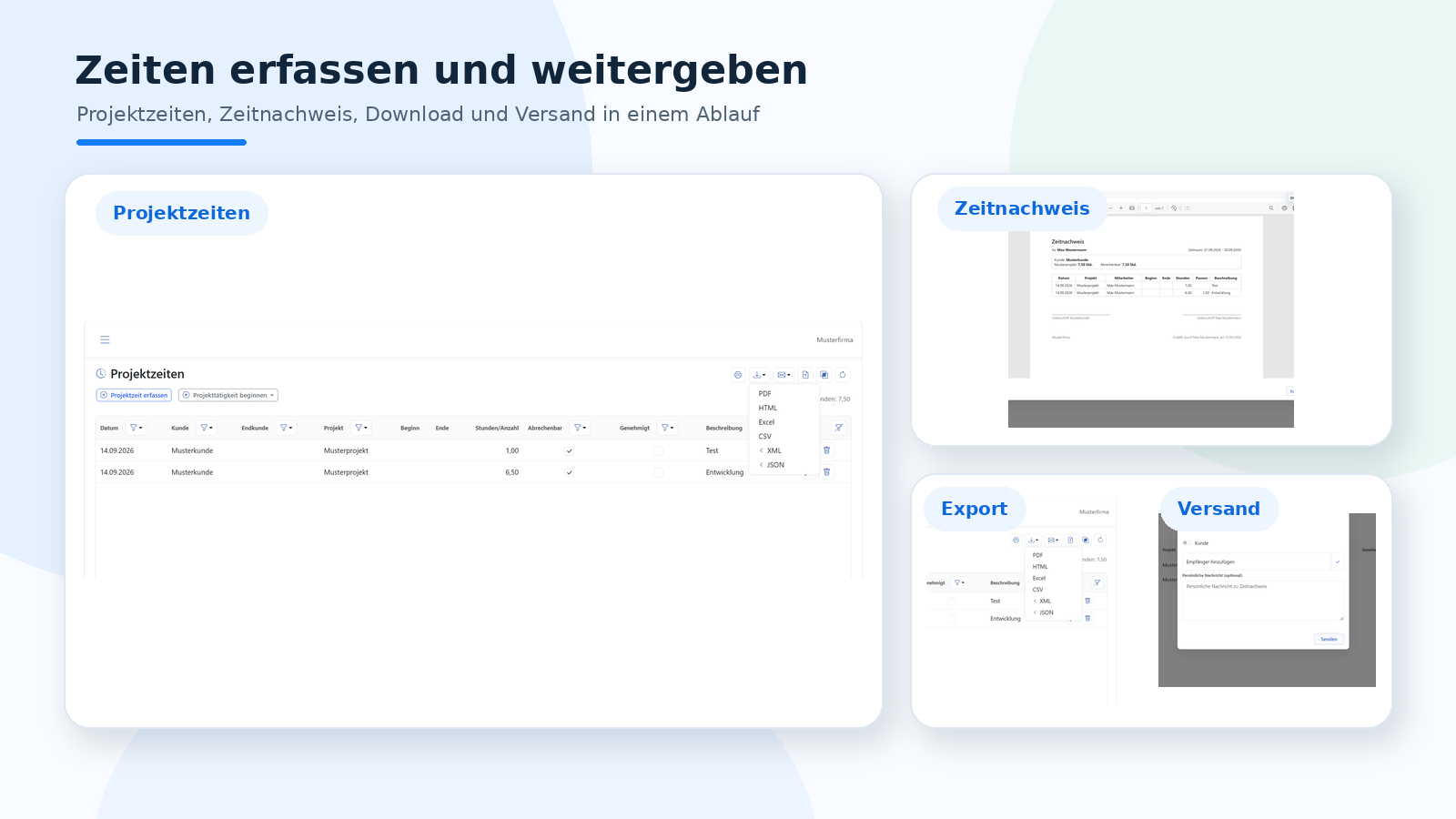
ZemiPro vielseitig für Zeiterfassung, Projekte und Auswertungen einsetzbar

Simply record working hours

Every employee sees the relevant projects for them and can quickly and easily record their worked hours.

This way, you always keep track of the hours worked by your employees.

Mobile time tracking

Use mobile time tracking on your smartphone and tablet to record working hours even on the go. Ideal for employees in field service or client engagement.

Precisely evaluate projects

Filter recorded times by client, project, and time period for precise evaluation and easy reporting.

Simply create time evidence

Create time evidence in just a few steps as a PDF or Excel document for further billing or forwarding.

Send directly by email

Send time evidence directly from ZemiPro via email to your clients.

Customize time evidence

Integrate project-specific templates for time evidence and invoicing in various formats.

Project management

Manage clients and projects centrally. Set hourly rates, budgets, and project durations, and assign employees. Project managers can view and edit the recorded times.

Evaluations and reports

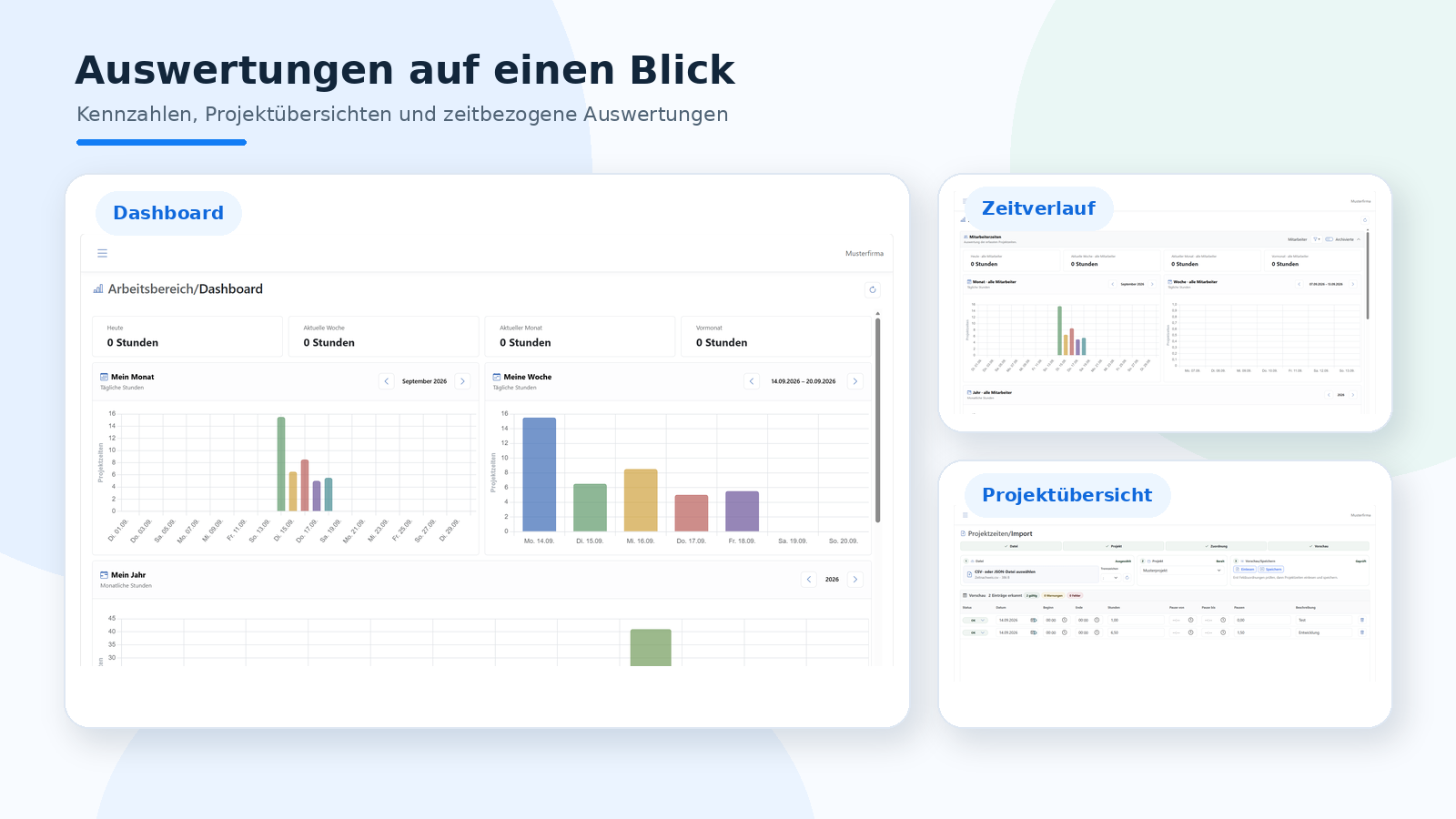
Receive comprehensive evaluations of the recorded times. The dashboard functions show you weekly, monthly, and yearly overviews that facilitate analysis.

Client access

Provide your clients with their own access through which they can view and approve project times.

Data export in various formats

Export your recorded working hours easily in formats like Excel, CSV, XML, or JSON for further processing in other systems.

Import project times

Import project times in CSV or JSON format.

Flexible billing types

Choose between hourly, daily rate, and flat-rate billing, and adapt the billing to your company's needs.

Set maximum hours

Define the maximum daily hours for each employee based on specific projects to better control and limit working times.

Automatic time tracking

Use the built-in stopwatch to automatically record working hours. This way, you always keep track of working hours without manual effort.

Summarize daily entries

Summarize all time entries of the same day and project to facilitate evaluation and billing.

Flexible rounding of times

Determine how recorded working hours are rounded to ensure simple and transparent billing.

Manage project times

Mark project times as approved or billed to maintain an overview of progress and costs.

Archive projects

Archive completed projects and inactive clients without having to delete them from the application.

Set working time limits

Define daily, weekly, and monthly working time limits to support compliance with legal and company requirements.

Support for dark mode

Activate dark mode for a more pleasant display in low light conditions.

Secure login

Optionally protect your user account with two-factor authentication (2FA). You can also log in conveniently with your Google or Microsoft account.

Keep track of working hours

The dashboard checks recorded working hours for breaks taken, missing time entries, and inconsistencies. Corresponding alerts help to identify and correct errors early.

Finalize times

Recorded times can be finalized manually or automatically after a set period. This protects completed time entries from subsequent changes.

Customizable

Adapt ZemiPro to your workflows and requirements. From individual labels to settings for time tracking and project management, the application can be flexibly designed.

Directly usable in the browser

Use ZemiPro directly in the browser – without local installation.

Modern technologies

ZemiPro is based on modern web technologies and is continuously developed further.

Individual adjustments

ZemiPro can be adapted to individual requirements and existing processes upon request.

Hosting in Germany

Data is processed and stored on servers in Germany.

Data protection compliant

ZemiPro is designed for GDPR-compliant use.

Secure operation

Technical and organizational measures support a secure and reliable operation.
Zeiten erfassen und weitergeben
Auswertungen auf einen Blick
Administration und Anpassung

ZemiPro in practical use

Customer Reviews

This is how ZemiPro supports companies and project teams in daily work.

Practical experiences

ZemiPro is used for recording and evaluating work and project times. Customer reviews provide insight into various application fields and experiences with the application.

Norbert Linz, Linz Services

We use ZemiPro for the time tracking of our employees. The import function is particularly helpful: the required data is imported from the client system and does not have to be entered manually again. This reduces administrative effort and makes daily time tracking easier for our employees.

Emil Doll, IT Consulting Emil Doll

As a freelance developer and tester, I use ZemiPro to record my daily work and project times. This way, I always keep track of my hours worked and can directly refer to the hour evidence created in ZemiPro for billing.

Simple tariffs

Pricing

Choose the tariff that fits your requirements.


Basic


1.90 € monthly

1 user included


For individual users and small businesses with simple time tracking
5% price advantage with three-month payment
Every additional user: 1.50 € / month
The essential features for daily time tracking – including time evidence
1 month free trial

All prices plus VAT.


Pro


5.90 € monthly

1 user included


For freelancers, teams, and companies with full functionality
5% price advantage with three-month payment
Every additional user: 3.50 € / month
Full functionality for time tracking, projects, evaluations, and time evidence
1 month free trial

All prices plus VAT.

The story behind ZemiPro

From practice for practice: ZemiPro was born from years of experience in project daily life. The daily work with cumbersome time tracking systems and various Excel spreadsheets showed how laborious it can be to record and evaluate working and project times. This led to the idea of developing a clear and practical application that reflects the actual requirements of daily work. Experiences from personal use, collaboration with partners, and feedback from users flow into the continuous development of ZemiPro.

Special value is placed on security, data protection, and reliability. ZemiPro is designed for reliable use in everyday work. Stability and responsible data handling are at the forefront. 

Short communication paths and personal support allow for direct and uncomplicated coordination of questions and requirements.

Try for free